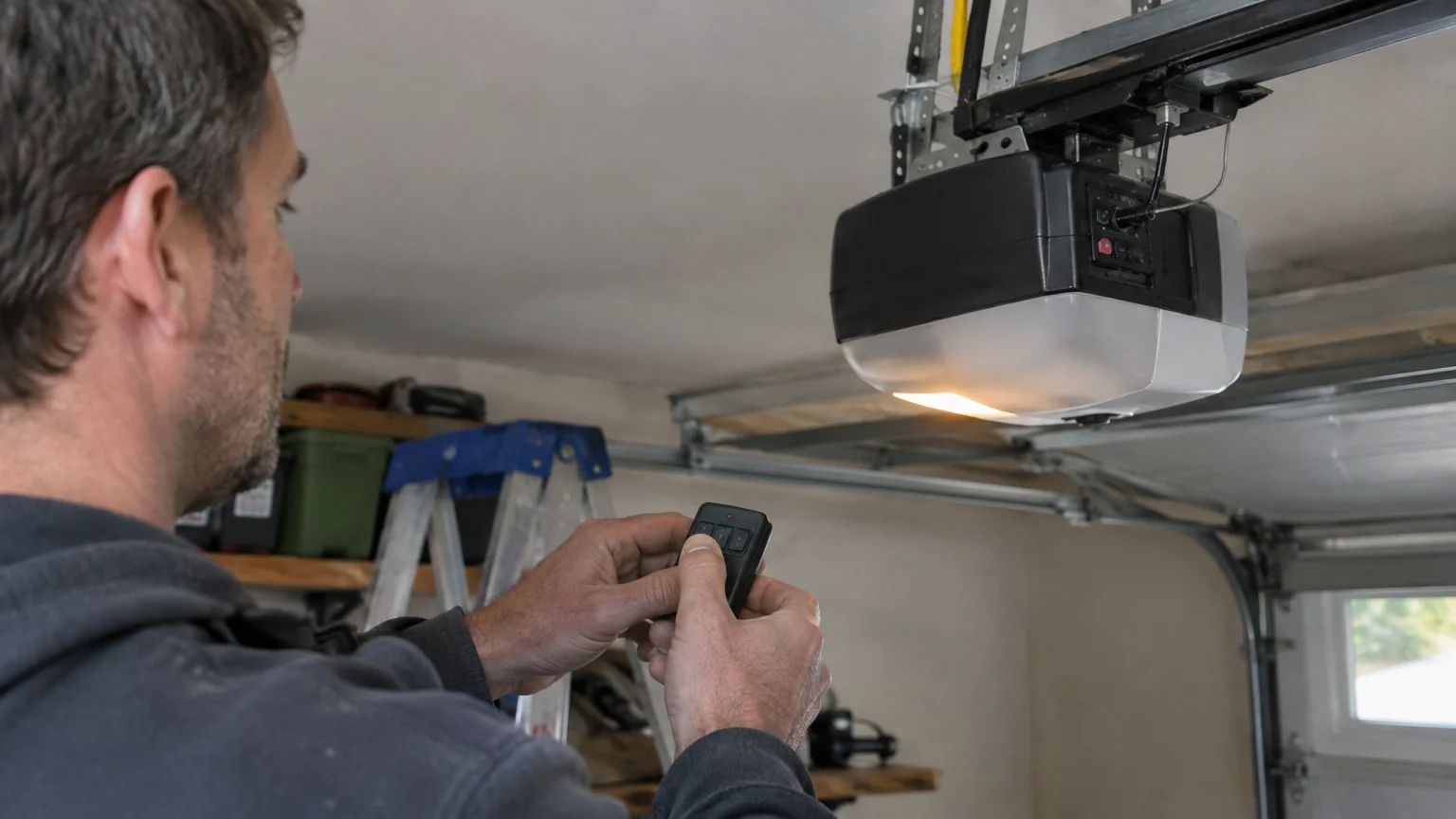
The phrase garage door opener how to program covers pairing a handheld remote, car button, keypad, or universal control. Most openers use a learn button on the motor unit. The steps depend on the brand, control type, battery, and vehicle system. Always test the door safely after pairing.
Table of Contents
- How does garage door opener programming work?
- How do you program a standard garage door remote?
- How do you program a car’s built-in garage door button?
- How do you program a garage door keypad?
- How do you program a universal garage door remote?
- What should you do when a programmed remote does not work?
- How can you reset garage door remotes and keep the opener secure?
How does garage door opener programming work?
Programming teaches the motor unit to accept a signal from a control. The opener saves that control’s code in its memory. When the remote or keypad sends the right signal, the motor runs the door. This helps limit access to approved users.
What the learn or program button does
The learn or program button is usually on the motor unit. It may sit near the antenna wire or light cover. A small colored light often marks it. Pressing the button places the opener in pairing mode for a short time.
The light pattern and timing vary by brand and model. Check the owner’s manual before you begin. The manual shows which remotes and keypads fit your garage door opener. Some smart openers also use an app for setup.
A remote sends a radio signal. A keypad sends a code after you enter it. A vehicle button may learn the remote signal first. These controls do not always pair in the same way.
Which remote, opener, and vehicle controls are compatible
Compatibility depends on the opener brand, model, age, and radio system. A similar-looking remote may use a different signal. Your vehicle may also need a special bridge for the opener. Check the vehicle manual before buying another control.
Kingman Garage Door Repair can help Kingman homeowners choose a matching control. This helps when the model label is hard to read or the manual is missing. The right match avoids failed setup attempts and keeps the door secure. In Kingman, many homes and small businesses use more than one opener control.
How do you program a standard garage door remote?
A standard remote is often paired with the opener’s learn button. The homeowner does not need to touch springs, cables, or other loaded parts. This is usually safe when the manual is followed and everyone stays clear of the moving door.
Steps for pairing a remote with the opener
- Find the opener model information. Look on the motor unit, rail, or remote. Write down the brand and model.
- Check the remote battery. Use the correct battery and seat it firmly. A weak battery can stop pairing.
- Place the remote near the opener. Keep children, pets, and vehicles away from the opening.
- Press the learn or program button. Follow the manual to confirm pairing mode. Avoid pressing buttons at random.
- Press the chosen remote button. Hold it as the manual directs. A light should confirm the saved signal.
- Wait for pairing mode to end. If it ends early, follow the model instructions before trying again.
How to confirm the remote works safely
Stand where you can see the full door. Press the remote once and watch the door move. Never stand below the door or drive under it while testing. Press the control again only as the manual directs.
The photo-eye safety sensors must stay clear. These sensors sit close to the floor on both sides. If the door will not close, check for blocked lenses, loose wires, or poor alignment. Never bypass them. Kingman Garage Door Repair can inspect the opener when the remote pairs but the door does not move correctly.
How do you program a car’s built-in garage door button?
A car’s built-in garage door button often needs the original handheld remote. The vehicle first learns the remote signal. The opener may then learn the vehicle button. Your vehicle manual gives the exact button order.
Why the original remote may be needed
Many vehicle systems copy the signal from a handheld remote. The remote usually needs to sit close to the car’s buttons. It also needs a working battery. A weak signal may cause the learning step to fail.
Some newer cars use a different system. They may need a compatibility bridge or account setup. The vehicle maker, opener maker, or trained technician can confirm the right method. Guessing may erase a working control.
How to pair the vehicle buttons with the opener
Park the vehicle outside the door’s path. Keep the engine off unless the vehicle manual says otherwise. Follow the car instructions to train the chosen button with the handheld remote. The indicator light often changes when learning is complete.
Next, press the opener’s learn button if direct pairing is needed. Press the vehicle button as the opener manual directs. Test it with the door fully visible. The door should start or stop without delay, while the sensors still work normally.
A failed setup may come from a weak battery, an unsupported opener, or a vehicle memory issue. A smart garage door opener may also need app access. Garage Door Opener Repair can help when a car button works only sometimes or opens another door.
How do you program a garage door keypad?
A keypad is programmed by placing the opener in learn mode and setting a personal code. Choose a code that household members can remember. Do not use public details that others may guess. Test the keypad with the door area clear.
Setting or changing a keypad code
Read both the keypad and opener manuals first. Older keypads may use switches. Newer ones often use a learn button and code sequence. The model number matters because the steps vary.
Avoid using an address, birth date, or other public detail. Enter the code only when the keypad is ready. If the light does not respond as expected, stop and check the manual.
A code change may remove an old code or add another one. Know which result applies before you begin. If a former resident, tenant, worker, or family member knows the code, changing it helps protect access.
Testing the keypad and securing access
Test the keypad from a safe place with the door fully visible. Enter the code and press the open or enter button. Confirm that the door starts moving. Then test closing with no person, pet, or object below it.
Keep the keypad cover closed when not in use. Wipe dirt and moisture away with a soft, dry cloth. Do not spray cleaner into the buttons. If the keypad works only nearby, check its battery and the opener.
A keypad that opens the door without the correct code needs prompt attention. The code may not have saved, or the keypad may have a fault. A technician can check the control, memory, wiring, and security settings.
How do you program a universal garage door remote?
A universal remote works with some opener brands and models. It does not fit every system. Check the package or manual for supported openers before trying to pair it.
Checking compatibility before programming
Find the opener brand and model on the motor unit. Compare it with the universal remote’s list. The opener’s age, radio system, security type, and learn-button color may affect the match. The same brand does not always mean the same system.
Use a new or working battery in the universal remote. Follow the battery type shown in its manual. Keep other controls away during setup. This makes it easier to know which signal the opener saved.
One universal remote may control several doors. Pair each button with the correct opener. Labeling the buttons can help prevent the wrong door from opening in a shared garage.
Common pairing methods for universal remotes
Some universal remotes use the opener’s learn button. Others use a brand code, switch setting, or both. Follow the instructions for the exact opener model.
After pairing, test the remote from safe positions. The door should respond in a steady way. Short range, delay, or operation of another opener may point to interference, a poor match, or a memory problem.
Do not open the motor housing or change wiring to make the remote work. These actions can create shock and security risks. If the listed match still fails, Garage Door Opener Repair can test the remote and opener together. Kingman Garage Door Repair serves property owners, including Hilltop, Clacks Canyon, New Kingman-Butler, Golden Valley, Valle Vista, and nearby areas.
What should you do when a programmed remote does not work?
Start with simple checks before assuming major repair is needed. A dead battery, blocked sensor, locked wall control, or weak signal can stop a remote. If the door is heavy, crooked, noisy, or stuck, the problem may involve the door hardware.
Battery, range, and signal troubleshooting
Replace the remote battery with the correct type. Check for corrosion, a bent contact, or a loose cover. Try the wall control if it is safe. If the wall control works but the remote does not, check the remote, pairing, and range.
Make sure the opener has power. Check whether its light turns on and whether other controls respond. Keep the remote away from metal objects and thick walls during testing. A keypad may need a fresh battery and clean buttons.
Look at the photo-eye sensors near the floor. Their lights should show normal alignment according to the manual. Clear leaves, boxes, and cobwebs. Never move, cover, or bypass the sensors.
When the opener, remote, or wiring may need repair
A remote may pair but still fail if the receiver is damaged. Loose low-voltage wires, worn gears, or a control board fault can also stop the opener. A door that hums, reverses, lifts unevenly, or will not move needs more than programming.
Do not adjust springs, lift cables, or bottom brackets during remote troubleshooting. These parts hold strong force and can cause serious injury. A trained professional has the right tools to check loaded parts safely.
Garage Door Opener Repair is useful when simple checks do not solve the problem. An off-track or damaged door may need another repair service. Kingman Garage Door Repair can help find whether the fault is in the control, opener, wiring, or door.
How can you reset garage door remotes and keep the opener secure?
Resetting an opener can remove stored remotes, keypads, and vehicle controls. It helps after a lost remote, change in occupants, or security concern. The reset method varies by model, so confirm what will be erased first.
When to erase old remotes and codes
Erase old controls when a remote is lost or someone who should not have access knows the keypad code. A reset may remove every stored control. Gather approved remotes before resetting, because they may need to be paired again.
Afterward, test each approved remote, vehicle button, and keypad. Remove unknown controls from your list. Keep spare remotes in a secure place. For smart openers, review user accounts and app permissions.
Good upkeep also helps. Replace weak batteries, clean sensor lenses, and watch for changes in range. Routine Garage Door Maintenance can help find problems before the door becomes hard to secure.
When professional garage door opener help is the safer choice
Professional help is safer when the opener has no power, the door is stuck, the rail is damaged, or wiring looks loose. It is also needed when springs, cables, or bottom brackets may be involved. These parts should not be adjusted during a home programming task.
A trained technician can match a remote, check the receiver, inspect the sensors, and test movement. The final cost is confirmed on a quote after the needed work and parts are clear. Opener repair is often less involved than replacing a full door, but damage, access, and urgency affect the work.
Frequently Asked Questions
Can a homeowner program a garage door remote without professional help?
Yes. Many homeowners can pair a compatible remote by following the opener manual. Battery checks, sensor cleaning, and simple programming are usually safe. Professional help is needed for wiring faults, unsafe doors, springs, cables, or brackets.
Why does the remote light work but the garage door stay closed?
The remote light only shows that its button has power. It does not prove that the signal reaches the opener. Check pairing, opener power, sensors, locks, and the wall control. A heavy or stuck door needs a professional check.
How do you program a garage door opener with a universal remote?
First, confirm that the remote supports the opener model. Then follow its method, which may use a learn button or brand code. Test one button at a time. If pairing fails, the remote, receiver, or opener memory may need testing.
Can a keypad and remote use the same garage door opener?
Yes. Many openers can store several approved controls. The keypad and remote usually use separate setup steps, but both connect with the same motor unit. Keep each code and control secure. If one control opens the wrong door, erase stored settings and pair again.
When should someone call for garage door opener help?
Call for help when the door is stuck, off track, noisy, uneven, or unsafe. Professional service is also wise when wiring, the receiver, springs, cables, or brackets may be involved. Never bypass safety sensors or adjust loaded hardware.
Key takeaways
- Use the opener manual because steps differ by model and control type.
- Check batteries, power, sensors, and compatibility before repeating setup attempts.
- Test every control safely with the door visible and the path clear.
- Reset lost remotes and old keypad codes to protect home or business access.
- Leave springs, cables, brackets, and unsafe doors to trained professionals.
A working remote is only one part of safe garage access. The opener, sensors, door hardware, and security settings must work together. Contact us today for urgent help from Kingman Garage Door Repair.